No. 064art.yale.edu
Yale School of Art
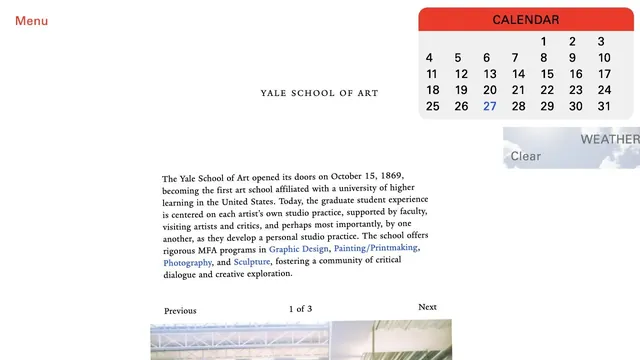
Culture & mediaAn unconventional school website where unpolished text coexists with components such as a calendar.
Familiar desktop controls become an entry point for exploration in the browser.
Apply this idea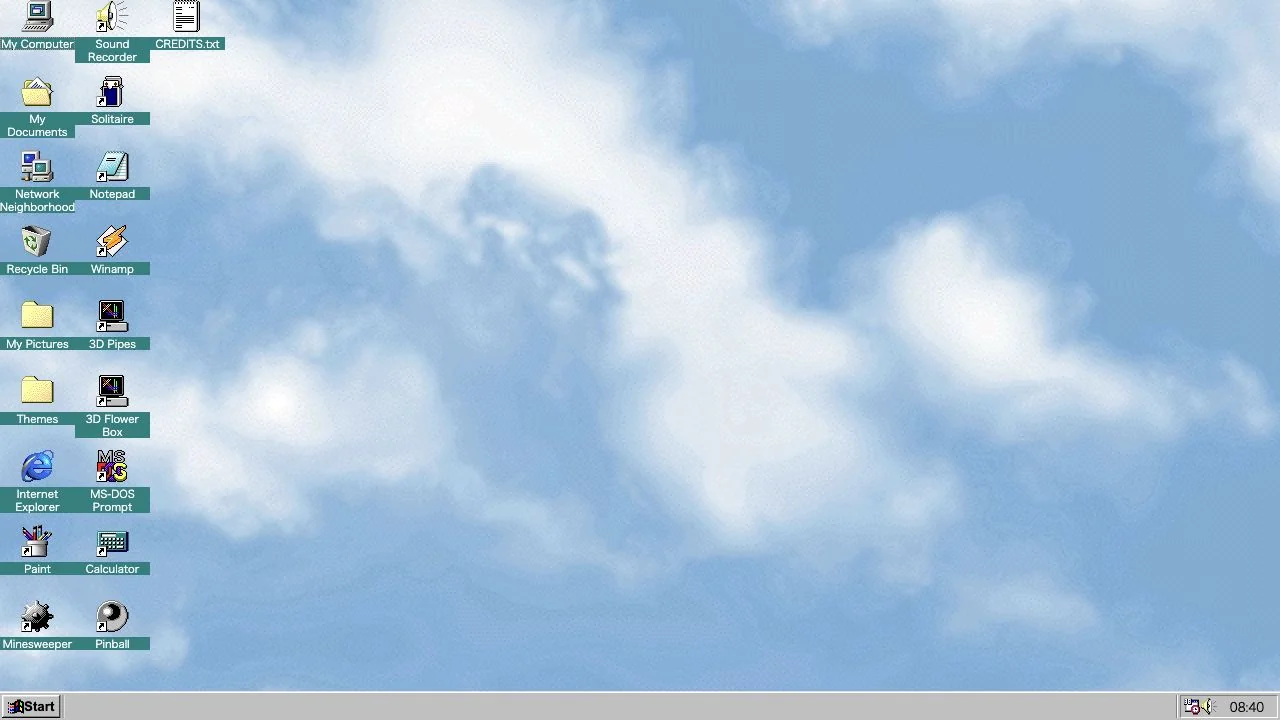
WHAT CAUGHT OUR EYE
Small icons line up vertically along the left edge of a cloud wallpaper, contrasting with the spacious work area.
Start, the taskbar, and the clock sit at the bottom, reusing control positions learned from older operating systems.
Each icon pairs its image with a short label, so a low-resolution picture does not have to communicate the action alone.
MAKE IT YOURS
When recreating a nostalgic UI, keep not only colors and corner shapes consistent but also the relative positions of controls. For a modern site, add text labels and keyboard operation so the atmosphere does not make the interface harder to use.
Public pages reviewed and independently presented by Design Quest.
Screens reflect the capture date. Visit the official website for its current appearance and interactions.
From study to design
Turn the study’s observations into a brief. Fill in your project details and share it with your team or an AI assistant.
Design Quest UI example
ComponentsEdit the text directly. Copy your version or save it as a Markdown file.
Pass a detail you like on to your team or friends.
Link to this study with the badge. You can also ask us to correct or remove the listing.

An unconventional school website where unpolished text coexists with components such as a calendar.
A web space for music and video reminiscent of an old desktop.
Illustrations of paper and clouds depict a space for writing.